Call Recording

How Call Recording Software Boosts Small Business Sales

How Small Businesses Can Use Call Recording Software to Increase Sales and Team Performance

Running a small business means every customer call matters. Whether it’s a sales inquiry, support request, or follow-up conversation, phone calls often decide if a customer buys from you or moves to a competitor. That’s why more businesses are using call recording software to improve customer communication, train employees, and increase sales performance. Modern call recording tools do much more than simply store conversations. They help businesses understand customer behavior, monitor team performance, identify missed opportunities, and improve service quality. In this blog, we’ll explore how small businesses can use call recording software to grow faster and work smarter. What Is Call Recording Software? Call recording software automatically records incoming and outgoing business calls. These recordings are stored securely and can be accessed later for review, training, quality checks, or compliance purposes. Many modern platforms also offer features like: For small businesses, this creates a simple way to monitor communication without hiring a large quality assurance team. Why Call Recording Matters for Small Businesses Small businesses usually operate with limited staff and tight budgets. A single missed lead or poor customer interaction can directly affect revenue. Call recording helps businesses: Instead of guessing what went wrong on a call, business owners can review actual conversations and make better decisions based on real customer interactions. 1. Improve Sales Conversations One of the biggest benefits of call recording software is improving sales performance. Sales teams often lose deals because they: By listening to recorded calls, managers can identify these issues and coach employees more effectively. Example: If customers repeatedly ask the same question before refusing to buy, it may indicate that your sales pitch lacks clarity. Reviewing recordings helps teams fix these gaps quickly. Over time, businesses can identify: This creates a more consistent and effective sales process. 2. Train New Employees Faster Training new staff can be time-consuming for small businesses. Instead of relying only on manuals or shadowing sessions, businesses can use real call recordings to train employees with actual customer conversations. New employees learn: Real examples are often more effective than theoretical training. Benefits of using recordings for training: Employees become productive faster because they learn from real business situations. 3. Increase Customer Service Quality Customer service directly impacts customer retention. If customers consistently experience poor communication, they are unlikely to return. Call recording helps businesses monitor support quality and identify areas that need improvement. Managers can review calls to check: This helps businesses maintain service standards even with a small team. Example: A business owner may discover that customers are being placed on hold for too long or that agents sound rushed during peak hours. These insights help improve customer satisfaction and reduce complaints. 4. Reduce Missed Opportunities Sometimes businesses lose customers simply because important details are forgotten after a call. Call recordings act as a backup for important conversations. Teams can revisit discussions to: This reduces misunderstandings and helps businesses deliver a better customer experience. For sales teams, even small details can make a huge difference in closing deals. 5. Monitor Team Performance For small business owners, it’s difficult to monitor every employee interaction manually. Call recording software provides visibility into team performance without micromanaging staff. Managers can evaluate: Many platforms also provide analytics dashboards that make performance tracking easier. This helps identify: Better insights lead to smarter business decisions. 6. Build Better Marketing and Sales Strategies Customer calls contain valuable information about customer needs, frustrations, and buying behavior. By reviewing conversations, businesses can discover: This information can improve: For example, if many callers ask about pricing confusion, businesses can update website content or advertisements to explain pricing more clearly. 7. Improve Accountability and Transparency Call recording creates accountability within teams. Employees know conversations are recorded, which often encourages: It also protects businesses during disputes. If a customer claims incorrect information was shared, businesses can review the recording to verify what was actually discussed. This helps reduce conflicts and maintain transparency. 8. Use AI and Analytics for Smarter Insights Modern call recording software now includes AI-powered features that go beyond basic recording. Businesses can use: These features help small businesses save time and identify important insights faster. Instead of listening to every call manually, managers can quickly review transcripts and analytics reports. AI tools can even detect: This makes business communication more data-driven. How to Choose the Right Call Recording Software Before selecting a solution, small businesses should consider: 1. Ease of Use The platform should be simple for teams to use without technical complexity. 2. Storage and Security Choose software that securely stores recordings and protects customer data. 3. AI Features AI transcription and analytics can save significant time. 4. CRM Integration Integration with CRM systems helps businesses organize customer interactions better. 5. Scalability Select software that can grow with your business needs. 6. Pricing Affordable pricing is important for small businesses operating on limited budgets. Final Thoughts Call recording software is no longer just for large enterprises. Small businesses can now use affordable and AI-powered tools to improve customer communication, increase sales, and strengthen team performance. By reviewing real customer conversations, businesses gain valuable insights that help improve training, customer service, and sales strategies. In today’s competitive market, understanding customer interactions can give small businesses a major advantage. Platforms like CallAtlas help businesses manage call recordings, monitor team performance, and improve customer communication with modern AI-powered features.
How Small Businesses Can Use Call Recording Software to Increase Sales and Team Performance Read More »

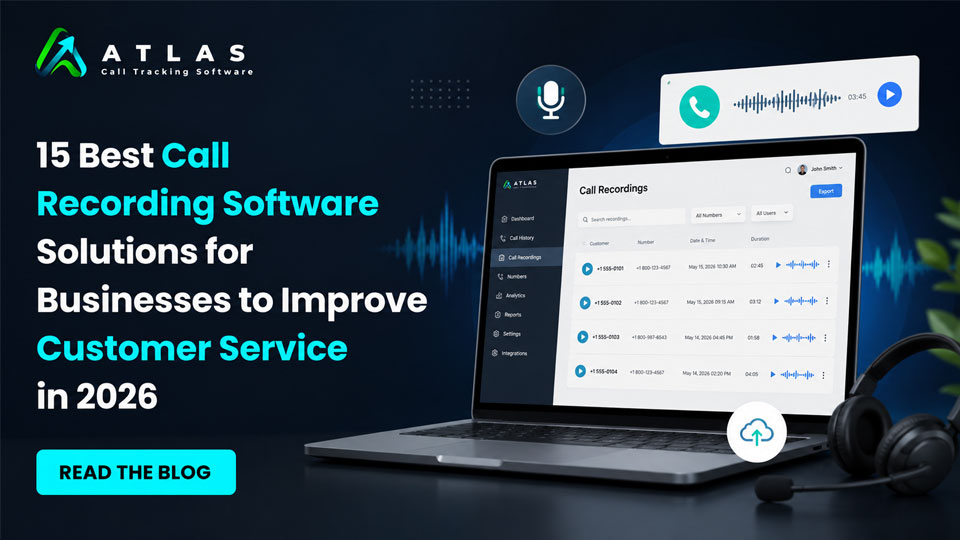
15 Best Call Recording Software for Businesses in 2026

Phone calls still play a major role in sales, customer support, appointment booking, lead qualification, and client communication. But simply answering calls is no longer enough. Businesses now want to understand what customers are asking, how agents are performing, which campaigns are driving calls, and where opportunities are being missed. That’s why call recording software has become an essential business tool in 2026. In this detailed guide, we’re covering the 15 best call recording software for businesses. Starting with one of the fastest-growing platforms for call tracking, analytics, and AI-powered insights. Quick Comparison Table : Top 15 Business Call Recording Software in 2026 Software Best For Key Strength CallAtlas AI call tracking & marketing attribution AI analytics and lead tracking RingCentral Enterprise communication Unified communication platform Aircall Sales and support teams CRM integrations Dialpad AI-powered calling Real-time transcription 8×8 Global businesses International calling support Nextiva Small businesses Easy deployment Zoom Hybrid teams Meetings and phone integration Vonage Custom communication workflows API flexibility GoTo Connect SMB communication Simple cloud telephony CloudTalk International sales teams Automation features Five9 Enterprise contact centers AI customer service tools Talkdesk Customer experience management Omnichannel support OpenPhone Startups and remote teams Shared business numbers JustCall Outbound sales teams Sales dialers and automation Freshcaller Freshworks users Affordable cloud calling Here is the detailed description about the 15 Best Call Recording Software for Businesses in 2026 1. CallAtlas Best Call Recording Software For Business Businesses today don’t just want to record calls. They want to know: This is where CallAtlas stands out from traditional call recording platforms. It combines call recording with advanced analytics, AI-generated insights, lead attribution, and marketing performance tracking — all in one dashboard. Unlike older systems that focus only on storing recordings, CallAtlas helps businesses turn conversations into measurable business intelligence. Key Features Call Recording Every inbound call can be recorded. The platform securely stores recordings and makes them shareable and searchable for future analysis. Businesses can review: The recordings are easy to organize and access from a central dashboard. Call Tracking and Attribution One of the strongest features of CallAtlas is marketing attribution. Businesses can track: This allows companies to finally understand which marketing channels are actually generating phone leads and revenue. For businesses spending heavily on advertising, this insight can significantly reduce wasted budget. AI Call Transcripts Instead of manually listening to long conversations, CallAtlas automatically converts calls into text transcripts. This helps teams: AI transcripts also make compliance reviews and documentation much easier. Real-Time Analytics The dashboard provides detailed insights including: For marketing agencies and growing businesses, this data becomes extremely valuable for optimization. Why Businesses Like CallAtlas Many businesses struggle with disconnected tools. One platform handles calls. Another handles analytics. Another stores recordings. Another tracks ads. CallAtlas simplifies this by combining everything into a single platform. It is especially useful for: Pros Cons Best For Businesses that want more than basic call recording and need: 2. RingCentral Best for Enterprise Communication and Unified Calling RingCentral has remained one of the most recognized business communication platforms for years, and in 2026 it continues to be a strong option for enterprises and remote teams. The platform combines: This makes it useful for businesses looking for an all-in-one communication ecosystem. Key Features Automatic and On-Demand Call Recording Businesses can choose: This flexibility helps organizations manage compliance requirements while controlling storage usage. Cloud-Based Accessibility Since everything is cloud-based, teams can access recordings remotely from almost anywhere. This is especially useful for: CRM Integrations RingCentral integrates with several major CRM systems including: This helps businesses connect customer conversations directly with customer records. Pros Cons Best For Mid-sized to enterprise businesses that need: 3. Aircall Best for Modern Sales and Support Teams Aircall has become popular among startups, SaaS companies, and customer support teams because of its clean interface and easy deployment. The platform focuses heavily on productivity and workflow automation. Key Features Automatic Call Recording Calls can be recorded automatically and stored securely in the cloud. Managers can use recordings to: Smart Call Routing Aircall includes intelligent routing capabilities that help businesses direct calls to the right department or team member quickly. This improves customer experience and reduces wait times. Integrations and Workflow Automation One of Aircall’s biggest strengths is its integration ecosystem. It connects with: This helps teams automate workflows and reduce manual tasks. Pros Cons Best For Sales teams, customer support centers, and startups that want: 4. Dialpad Best for AI Voice Intelligence and Real-Time Call Assistance Dialpad has built a strong reputation for combining cloud telephony with artificial intelligence. Instead of simply recording conversations, the platform actively helps businesses understand and improve customer interactions in real time. This makes it especially valuable for sales teams, customer support departments, and remote businesses that rely heavily on phone communication. Key Features Automatic Call Recording Dialpad allows businesses to record inbound and outbound calls automatically. Recordings are stored securely in the cloud and can be reviewed anytime. Managers often use recordings for: The playback interface is simple and user-friendly, which helps teams quickly locate important conversations. Real-Time AI Transcription One of Dialpad’s biggest strengths is live transcription during active calls. Instead of waiting for the conversation to end, the platform generates real-time text transcripts while the call is happening. This helps agents: Businesses handling high call volumes often find this feature extremely useful. AI-Powered Coaching Dialpad includes AI-driven voice intelligence tools that can detect: Managers can use this information to improve team performance and identify coaching opportunities. Unified Communication Features Beyond call recording, Dialpad also offers: This makes it suitable for businesses wanting a single communication platform. Pros Cons Best For Businesses that want: 5. 8×8 Best for Global Business Communication and Contact Centers 8×8 is widely used by businesses operating across multiple locations and countries. The platform focuses heavily on reliability, scalability, and enterprise communication management. For businesses handling international customers or distributed support teams, 8×8 offers strong infrastructure and enterprise-level capabilities. Key Features Secure Call Recording 8×8 provides both automatic and on-demand call

15 Best Call Recording Software for Businesses in 2026 Read More »

How Call Recording Software Helps Businesses Improve Communication and Customer Experience

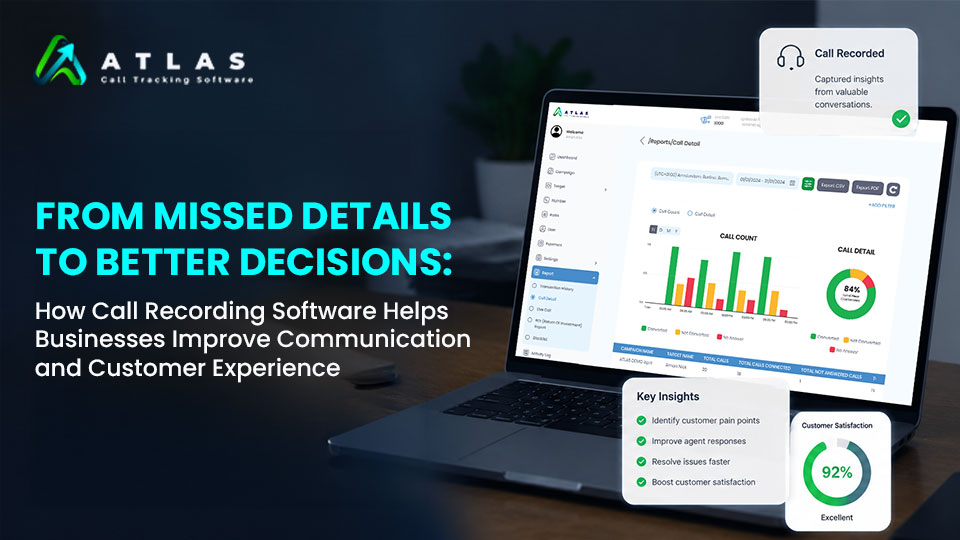
How Call Recording Software Helps Businesses Improve Communication and Customer Experience

In today’s competitive business environment, every customer conversation matters. Whether it’s a sales inquiry, support request, follow-up call, or client discussion, important details can easily be forgotten or misunderstood. Even a small communication gap can lead to missed opportunities, unhappy customers, or poor business decisions. This is where call recording software becomes a game-changer for businesses. Modern call recording solutions do much more than simply store conversations. They help businesses improve communication, train teams, monitor performance, understand customer behavior, and deliver a better customer experience. In this blog, we’ll explore how call recording software helps businesses turn everyday conversations into valuable insights and smarter decisions. What is Call Recording Software? Call recording software allows businesses to record incoming and outgoing phone calls for future reference, analysis, training, and quality monitoring. Many modern solutions now include AI-powered features such as: These features help businesses go beyond recording calls and actually understand what customers are saying. Why Businesses Need Call Recording Software Businesses handle hundreds or even thousands of customer conversations every month. Without proper tracking, teams may: Call recording software helps solve these problems by creating a reliable record of every conversation. Key Benefits of Call Recording Software for Businesses 1. Improves Customer Communication Good communication is one of the biggest factors behind customer satisfaction. With recorded calls, businesses can review customer interactions and identify communication gaps. Managers can analyze how employees speak with customers, handle objections, or resolve issues. This helps teams improve: Over time, businesses can create a more consistent and positive customer experience. 2. Helps Teams Avoid Missed Details Customers often share important information during calls, including: Without recordings, employees may forget or misinterpret critical information. Call recordings allow teams to revisit conversations anytime, reducing confusion and helping businesses make accurate decisions. 3. Improves Sales Performance Sales calls contain valuable insights about customer behavior and buying intent. Businesses can use call recording software to: Managers can also monitor top-performing agents and replicate successful communication strategies across the team. 4. Enhances Customer Support Quality Customer support teams deal with different types of customer concerns every day. Call recordings help businesses monitor service quality and improve support processes. Businesses can review calls to check: This helps create a better support experience and improves customer trust. 5. Simplifies Employee Training Training employees using real customer conversations is far more effective than theoretical learning. Businesses can use recorded calls to: This helps new employees learn faster and perform better. 6. Supports Better Decision-Making Business decisions should be based on real customer feedback, not assumptions. Call recording software provides insights into: These insights help businesses improve products, services, and customer engagement strategies. 7. Reduces Disputes and Miscommunication Sometimes customers and businesses may disagree about what was discussed during a call. Recorded conversations provide clarity and proof in situations involving: This protects both businesses and customers while reducing misunderstandings. 8. Enables Remote Team Monitoring Many businesses now operate with remote or hybrid teams. Call recording software helps managers monitor communication quality even when employees work from different locations. This ensures consistent customer service standards across the organization. How AI-Powered Call Recording is Changing Businesses Traditional call recording simply stored audio files. Modern AI-powered solutions now offer advanced analytics and automation. AI call recording software can: This helps businesses save time while gaining deeper insights from customer conversations. Industries That Benefit from Call Recording Software Many industries use call recording software to improve communication and operations, including: Any business that interacts with customers over phone calls can benefit from call recording technology. How to Choose the Right Call Recording Software Before selecting a solution, businesses should consider: The right software should align with your business goals and communication needs. How CallAtlas Helps Businesses Improve Communication CallAtlas helps businesses manage and analyze customer conversations with advanced call recording and AI-powered analytics features. Businesses can use CallAtlas to: With intelligent reporting and conversation tracking, businesses can make smarter decisions based on real customer interactions. Final Thoughts Customer conversations contain valuable business insights, but without proper tracking, important details can easily be lost. Call recording software helps businesses improve communication, strengthen customer relationships, train teams effectively, and make better business decisions. From sales to customer support, every recorded conversation becomes an opportunity to learn and grow. As businesses continue focusing on customer experience and operational efficiency, call recording software is becoming an essential tool for modern communication management.

How Call Recording Software Helps Businesses Improve Communication and Customer Experience Read More »

How Call Tracking and Recording Software Helps You Capture Every Lead

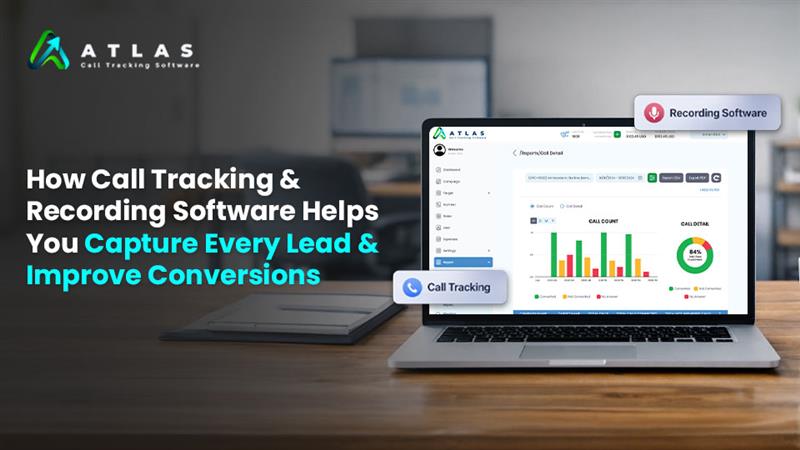
How Call Tracking and Recording Software Helps You Capture Every Lead and Improve Conversions

In today’s performance-driven marketing landscape, businesses invest heavily in digital campaigns across Google Ads, Meta Ads, and other platforms. But there’s one major gap many companies still overlook—phone calls. For industries like real estate, healthcare, automotive, and local services, calls often represent the highest-intent leads. If you’re not tracking and analyzing these calls, you’re missing out on valuable data—and revenue. This is where call tracking and recording software becomes a game-changer. 📞 What is Call Tracking and Recording Software? Call tracking and recording software allows businesses to: In simple terms, it connects your marketing efforts to actual conversations and conversions. 🎯 Why Phone Calls Are Your Most Valuable Leads When a customer calls your business, they’re not browsing—they’re ready to take action. Compared to form fills or clicks, calls: But without proper tracking, these valuable leads remain invisible. 🔍 How CallAtlas Helps You Capture Every Lead 1. Track Every Call Source Accurately CallAtlas assigns unique numbers to each campaign, helping you identify: 👉 No more wasted ad spend—only clear attribution. 2. Never Miss a Potential Customer Missed calls = lost revenue. CallAtlas ensures: Every lead gets a second chance. 3. Bridge the Gap Between Online and Offline Most tools track clicks—not conversations. CallAtlas connects: This gives you a complete marketing performance picture. 🎙️ How Call Recording Drives Better Conversions 1. Understand What Your Customers Really Want Call recordings reveal: You can refine your messaging based on real data—not assumptions. 2. Train Your Sales Team for Better Results With CallAtlas recordings, you can: Better conversations lead to higher close rates. 3. Deliver a Superior Customer Experience By reviewing calls, you can: A better experience directly impacts conversions. 📊 Optimize Campaigns with Real Data CallAtlas empowers you to: 👉 Result: Higher ROI with smarter decisions 🚀 Real Business Impact with CallAtlas Businesses using CallAtlas see: It transforms your phone calls into a measurable and scalable growth channel. 💡 Why Choose CallAtlas? CallAtlas is built for performance-driven marketers who want more than just call logs. With CallAtlas, you get: All in one powerful platform designed to maximize your conversions. ✅ Final Thoughts If you’re investing in ads but not tracking calls, you’re missing out on your most valuable leads. With CallAtlas call tracking and recording software, you can:

How Call Tracking and Recording Software Helps You Capture Every Lead and Improve Conversions Read More »