Shivam Pokhriyal

CallAtlas vs Traditional PBX

CallAtlas vs Traditional PBX: Which Solution Fits Modern Business Communication?

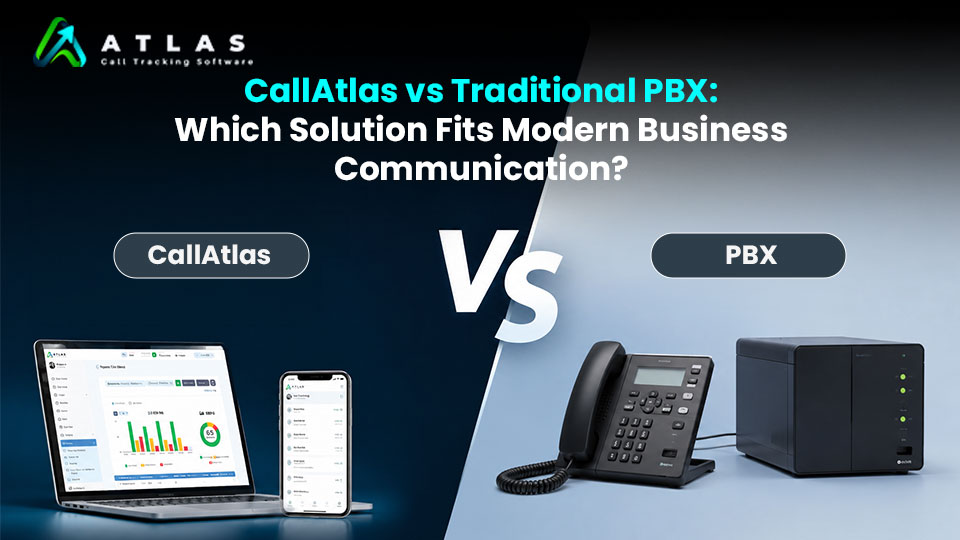
In modern times, phones continue to play an important role in reaching clients, generating leads, and offering customer support. In this regard, the Traditional PBX was the most used system by companies to deal with such calls. However, changes have occurred and today, in order to reach the desired success, businesses require more than just making calls—insights and analytics were needed. And here comes CallAtlas. The question then becomes, what is better, CallAtlas or a Traditional PBX? Let us find out. What Is a Traditional PBX? A Traditional PBX or Private Branch Exchange system is designed to handle internal and external communications. Employees are able to contact each other and outside contacts using this phone system. Some of the characteristics that make up a Traditional PBX are: While a Traditional PBX makes for great business call management tools, they tend to be concerned about handling calls, rather than analyzing them. What is CallAtlas? CallAtlas is an application for tracking and analyzing your calls to maximize their value. Instead of simply managing calls, CallAtlas helps businesses answer questions like: By turning phone conversations into actionable insights, CallAtlas helps businesses make smarter decisions and improve overall performance. CallAtlas vs Traditional PBX: Feature Comparison Feature Traditional PBX CallAtlas Call Routing Yes Integrates with existing systems Voicemail Yes Depends on integration Call Recording Limited Advanced recording and analysis Marketing Attribution No Yes Lead Tracking No Yes Call Analytics Basic Detailed and actionable Agent Performance Monitoring Limited Comprehensive AI Insights No Yes Campaign Tracking No Yes Custom Reporting Limited Extensive Traditional PBX: Strengths and Limitations Traditional PBX systems are reliable for handling business calls. They are ideal for companies that need: However, Traditional PBX systems have limitations in today’s data-driven environment. They often lack: For businesses investing in marketing and customer acquisition, these missing insights can make it difficult to understand what is working and where improvements are needed. Why Businesses Need More Than Call Management Modern businesses don’t just want to answer calls—they want to understand them. Imagine running multiple marketing campaigns across search engines, social media, and websites. If the phone rings, can you tell exactly which campaign generated that lead? Can you identify: A Traditional PBX typically cannot answer these questions. CallAtlas is built to provide these answers through call tracking, analytics, and reporting. When Should You Choose a Traditional PBX? A Traditional PBX may be the right choice if: For many organizations, PBX remains a dependable communication foundation. When Should You Choose CallAtlas? CallAtlas is a great choice if you want to: If your business relies on phone calls for sales, support, or lead generation, CallAtlas helps you turn every conversation into valuable business intelligence. Can CallAtlas Work Alongside Your PBX? Absolutely. CallAtlas is not designed to replace your existing phone system—it enhances it. Businesses can continue using their PBX or VoIP system while leveraging CallAtlas for: This allows businesses to keep their existing communication infrastructure while gaining deeper visibility into customer interactions. Final Thoughts Traditional PBX systems have been the backbone of business communication for decades, and they continue to serve an important purpose. But in today’s competitive environment, businesses need more than just call management. They need visibility into where calls come from, how customers interact, and which strategies drive results. While Traditional PBX focuses on connecting calls, CallAtlas focuses on helping businesses understand and optimize those conversations. If your goal is simply to manage calls, a Traditional PBX may be enough. But if your goal is to turn calls into insights, improve marketing ROI, and make smarter business decisions, CallAtlas offers the tools modern businesses need.

CallAtlas vs Traditional PBX: Which Solution Fits Modern Business Communication? Read More »

case study -1

Case Study: How CallAtlas Helped a Business Reduce Missed Calls and Capture More Leads

Introduction For many businesses, every incoming call represents a potential customer, sales opportunity, or support request. Yet missed calls often go unnoticed, creating hidden revenue losses that are difficult to measure. This was exactly the challenge faced by a growing home services company that relied heavily on phone calls for new customer inquiries. Despite investing in digital marketing and generating strong traffic, management suspected they were losing valuable leads—but they had no clear way to identify where or why. That’s when they turned to CallAtlas. The Challenge The company was receiving calls from multiple sources: While call volumes appeared healthy, the team faced several problems: The business knew calls were being missed, but lacked the data needed to understand the true impact. The Solution After implementing CallAtlas, the company gained complete visibility into its inbound call activity. The setup included: Unique Call Tracking Unique tracking numbers were assigned to different marketing channels, allowing the team to identify exactly where callers were coming from. Real-Time Call Monitoring Managers could instantly view: Centralized Reporting Dashboard All call activity was consolidated into a single dashboard, making it easy to monitor performance across departments and marketing campaigns. What the Data Revealed Within the first few weeks, the company uncovered several surprising insights. Peak-Hour Staffing Gaps CallAtlas reports showed that most missed calls occurred during a specific afternoon time window when staff members were handling customer appointments. High-Performing Marketing Channels The company discovered that one Google Ads campaign generated significantly more qualified calls than expected, while several other campaigns produced little engagement. Missed Follow-Up Opportunities Many callers who received no answer never called back. Without CallAtlas, these opportunities would have remained invisible. The Results After reviewing the data, the company made several operational changes: Results After 90 Days Most importantly, the business was able to capture leads that would have otherwise been lost. Why It Worked The biggest benefit wasn’t simply reducing missed calls. It was gaining visibility. Before CallAtlas, the company only knew how many calls they received. After implementing CallAtlas, they understood: This transformed phone calls from an untracked activity into a measurable business asset. Key Takeaways Many businesses focus heavily on generating leads but overlook what happens after the phone rings. Missed calls can quietly impact revenue, customer experience, and marketing performance. By implementing a call tracking and analytics solution like CallAtlas, businesses can: Conclusion For this business, reducing missed calls wasn’t just about answering the phone—it was about creating a more efficient process for turning inquiries into customers. With CallAtlas, they gained the insights needed to improve operations, optimize marketing spend, and ensure fewer opportunities slipped through the cracks. Because when every call matters, visibility makes all the difference.

Case Study: How CallAtlas Helped a Business Reduce Missed Calls and Capture More Leads Read More »

Missed Calls = Lost Revenue: How to Fix It With Smart Call Tracking

Missed Calls = Lost Revenue: How to Fix It With Smart Call Tracking

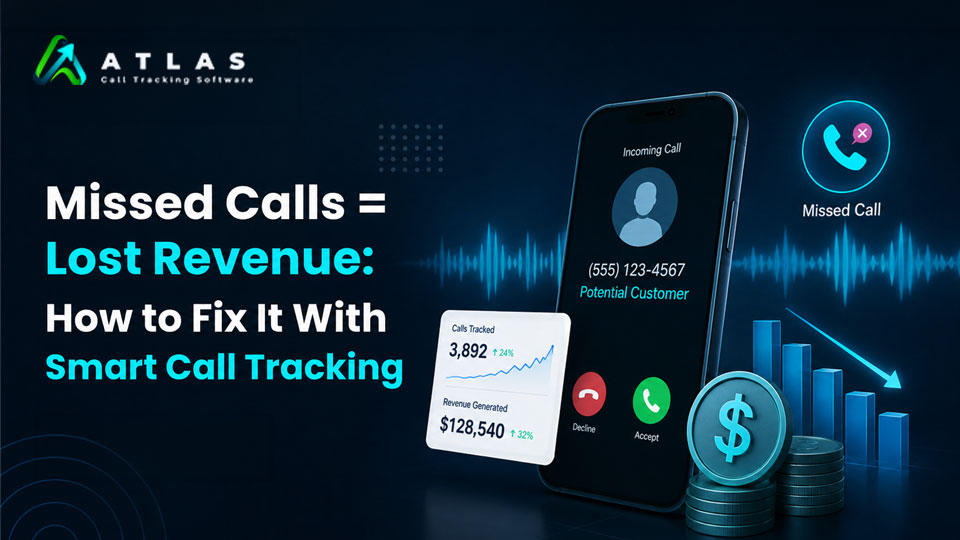
Every missed business call can mean a lost customer, missed appointment, or lost sale. Businesses spend money on Google Ads, SEO, social media, and other marketing campaigns to generate leads, but if calls go unanswered, those opportunities disappear quickly. This is why smart call tracking has become essential for businesses in 2026. Why Missed Calls Matter Customers expect quick responses. If nobody answers their call, they often contact a competitor instead. Missed calls can hurt businesses by: Industries like healthcare, real estate, legal services, home services, and automotive businesses are especially affected because phone calls are often high-intent leads. What Is Smart Call Tracking? Smart call tracking helps businesses: Instead of just seeing a phone number, businesses can understand where calls come from and how well their teams handle them. How Smart Call Tracking Helps 1. Tracks Missed Calls Businesses can instantly identify: This allows teams to follow up quickly before the lead is lost. 2. Measures Marketing Performance Call tracking shows which channels generate phone leads, including: This helps businesses improve ROI and reduce wasted ad spend. 3. Improves Customer Response Time Businesses can monitor: Faster response times often lead to higher conversions. 4. Enables Call Recording and AI Insights Platforms like CallAtlas provide: This helps businesses improve sales, support, and overall customer experience. Why Businesses Choose CallAtlas CallAtlas helps businesses turn every call into actionable insights by combining: Businesses can identify missed opportunities, improve team performance, and understand which campaigns drive real phone leads. Final Thoughts Missed calls are missed revenue opportunities. Smart call tracking helps businesses respond faster, improve customer communication, and track the true value of phone leads. In 2026, businesses that understand and optimize customer calls will have a major advantage over competitors still relying on basic phone systems.

Missed Calls = Lost Revenue: How to Fix It With Smart Call Tracking Read More »

How Call Recording Software Boosts Small Business Sales

How Small Businesses Can Use Call Recording Software to Increase Sales and Team Performance

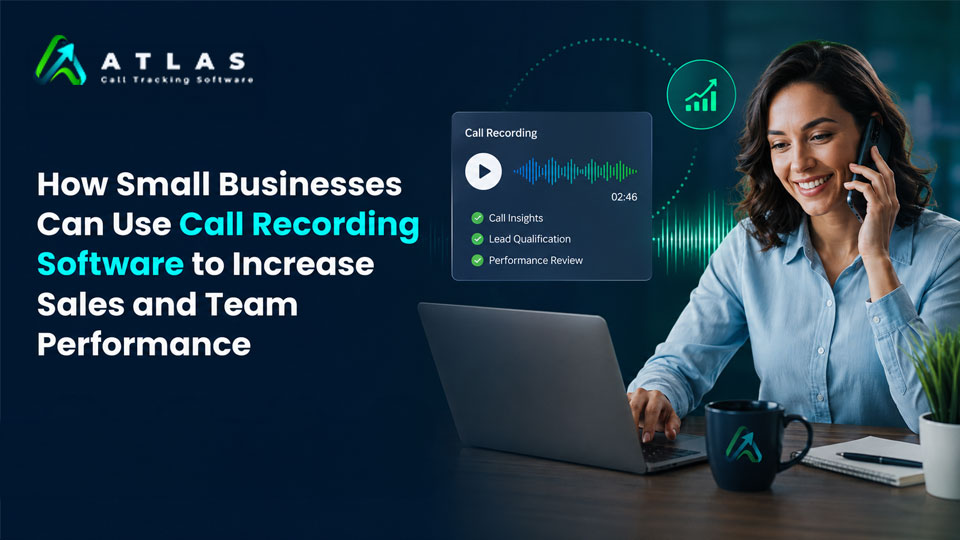
Running a small business means every customer call matters. Whether it’s a sales inquiry, support request, or follow-up conversation, phone calls often decide if a customer buys from you or moves to a competitor. That’s why more businesses are using call recording software to improve customer communication, train employees, and increase sales performance. Modern call recording tools do much more than simply store conversations. They help businesses understand customer behavior, monitor team performance, identify missed opportunities, and improve service quality. In this blog, we’ll explore how small businesses can use call recording software to grow faster and work smarter. What Is Call Recording Software? Call recording software automatically records incoming and outgoing business calls. These recordings are stored securely and can be accessed later for review, training, quality checks, or compliance purposes. Many modern platforms also offer features like: For small businesses, this creates a simple way to monitor communication without hiring a large quality assurance team. Why Call Recording Matters for Small Businesses Small businesses usually operate with limited staff and tight budgets. A single missed lead or poor customer interaction can directly affect revenue. Call recording helps businesses: Instead of guessing what went wrong on a call, business owners can review actual conversations and make better decisions based on real customer interactions. 1. Improve Sales Conversations One of the biggest benefits of call recording software is improving sales performance. Sales teams often lose deals because they: By listening to recorded calls, managers can identify these issues and coach employees more effectively. Example: If customers repeatedly ask the same question before refusing to buy, it may indicate that your sales pitch lacks clarity. Reviewing recordings helps teams fix these gaps quickly. Over time, businesses can identify: This creates a more consistent and effective sales process. 2. Train New Employees Faster Training new staff can be time-consuming for small businesses. Instead of relying only on manuals or shadowing sessions, businesses can use real call recordings to train employees with actual customer conversations. New employees learn: Real examples are often more effective than theoretical training. Benefits of using recordings for training: Employees become productive faster because they learn from real business situations. 3. Increase Customer Service Quality Customer service directly impacts customer retention. If customers consistently experience poor communication, they are unlikely to return. Call recording helps businesses monitor support quality and identify areas that need improvement. Managers can review calls to check: This helps businesses maintain service standards even with a small team. Example: A business owner may discover that customers are being placed on hold for too long or that agents sound rushed during peak hours. These insights help improve customer satisfaction and reduce complaints. 4. Reduce Missed Opportunities Sometimes businesses lose customers simply because important details are forgotten after a call. Call recordings act as a backup for important conversations. Teams can revisit discussions to: This reduces misunderstandings and helps businesses deliver a better customer experience. For sales teams, even small details can make a huge difference in closing deals. 5. Monitor Team Performance For small business owners, it’s difficult to monitor every employee interaction manually. Call recording software provides visibility into team performance without micromanaging staff. Managers can evaluate: Many platforms also provide analytics dashboards that make performance tracking easier. This helps identify: Better insights lead to smarter business decisions. 6. Build Better Marketing and Sales Strategies Customer calls contain valuable information about customer needs, frustrations, and buying behavior. By reviewing conversations, businesses can discover: This information can improve: For example, if many callers ask about pricing confusion, businesses can update website content or advertisements to explain pricing more clearly. 7. Improve Accountability and Transparency Call recording creates accountability within teams. Employees know conversations are recorded, which often encourages: It also protects businesses during disputes. If a customer claims incorrect information was shared, businesses can review the recording to verify what was actually discussed. This helps reduce conflicts and maintain transparency. 8. Use AI and Analytics for Smarter Insights Modern call recording software now includes AI-powered features that go beyond basic recording. Businesses can use: These features help small businesses save time and identify important insights faster. Instead of listening to every call manually, managers can quickly review transcripts and analytics reports. AI tools can even detect: This makes business communication more data-driven. How to Choose the Right Call Recording Software Before selecting a solution, small businesses should consider: 1. Ease of Use The platform should be simple for teams to use without technical complexity. 2. Storage and Security Choose software that securely stores recordings and protects customer data. 3. AI Features AI transcription and analytics can save significant time. 4. CRM Integration Integration with CRM systems helps businesses organize customer interactions better. 5. Scalability Select software that can grow with your business needs. 6. Pricing Affordable pricing is important for small businesses operating on limited budgets. Final Thoughts Call recording software is no longer just for large enterprises. Small businesses can now use affordable and AI-powered tools to improve customer communication, increase sales, and strengthen team performance. By reviewing real customer conversations, businesses gain valuable insights that help improve training, customer service, and sales strategies. In today’s competitive market, understanding customer interactions can give small businesses a major advantage. Platforms like CallAtlas help businesses manage call recordings, monitor team performance, and improve customer communication with modern AI-powered features.

How Small Businesses Can Use Call Recording Software to Increase Sales and Team Performance Read More »

15 Best Call Recording Software for Businesses in 2026

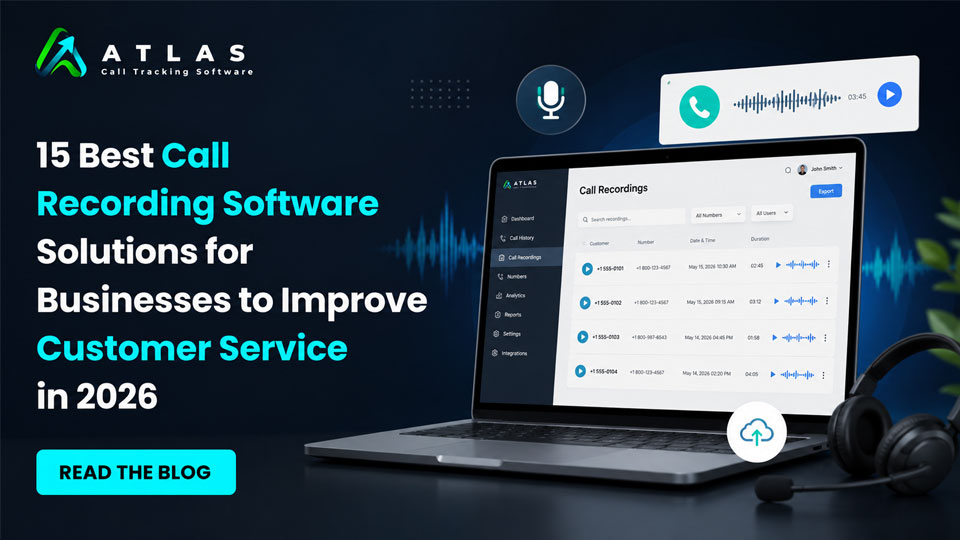
Phone calls still play a major role in sales, customer support, appointment booking, lead qualification, and client communication. But simply answering calls is no longer enough. Businesses now want to understand what customers are asking, how agents are performing, which campaigns are driving calls, and where opportunities are being missed. That’s why call recording software has become an essential business tool in 2026. In this detailed guide, we’re covering the 15 best call recording software for businesses. Starting with one of the fastest-growing platforms for call tracking, analytics, and AI-powered insights. Quick Comparison Table : Top 15 Business Call Recording Software in 2026 Software Best For Key Strength CallAtlas AI call tracking & marketing attribution AI analytics and lead tracking RingCentral Enterprise communication Unified communication platform Aircall Sales and support teams CRM integrations Dialpad AI-powered calling Real-time transcription 8×8 Global businesses International calling support Nextiva Small businesses Easy deployment Zoom Hybrid teams Meetings and phone integration Vonage Custom communication workflows API flexibility GoTo Connect SMB communication Simple cloud telephony CloudTalk International sales teams Automation features Five9 Enterprise contact centers AI customer service tools Talkdesk Customer experience management Omnichannel support OpenPhone Startups and remote teams Shared business numbers JustCall Outbound sales teams Sales dialers and automation Freshcaller Freshworks users Affordable cloud calling Here is the detailed description about the 15 Best Call Recording Software for Businesses in 2026 1. CallAtlas Best Call Recording Software For Business Businesses today don’t just want to record calls. They want to know: This is where CallAtlas stands out from traditional call recording platforms. It combines call recording with advanced analytics, AI-generated insights, lead attribution, and marketing performance tracking — all in one dashboard. Unlike older systems that focus only on storing recordings, CallAtlas helps businesses turn conversations into measurable business intelligence. Key Features Call Recording Every inbound call can be recorded. The platform securely stores recordings and makes them shareable and searchable for future analysis. Businesses can review: The recordings are easy to organize and access from a central dashboard. Call Tracking and Attribution One of the strongest features of CallAtlas is marketing attribution. Businesses can track: This allows companies to finally understand which marketing channels are actually generating phone leads and revenue. For businesses spending heavily on advertising, this insight can significantly reduce wasted budget. AI Call Transcripts Instead of manually listening to long conversations, CallAtlas automatically converts calls into text transcripts. This helps teams: AI transcripts also make compliance reviews and documentation much easier. Real-Time Analytics The dashboard provides detailed insights including: For marketing agencies and growing businesses, this data becomes extremely valuable for optimization. Why Businesses Like CallAtlas Many businesses struggle with disconnected tools. One platform handles calls. Another handles analytics. Another stores recordings. Another tracks ads. CallAtlas simplifies this by combining everything into a single platform. It is especially useful for: Pros Cons Best For Businesses that want more than basic call recording and need: 2. RingCentral Best for Enterprise Communication and Unified Calling RingCentral has remained one of the most recognized business communication platforms for years, and in 2026 it continues to be a strong option for enterprises and remote teams. The platform combines: This makes it useful for businesses looking for an all-in-one communication ecosystem. Key Features Automatic and On-Demand Call Recording Businesses can choose: This flexibility helps organizations manage compliance requirements while controlling storage usage. Cloud-Based Accessibility Since everything is cloud-based, teams can access recordings remotely from almost anywhere. This is especially useful for: CRM Integrations RingCentral integrates with several major CRM systems including: This helps businesses connect customer conversations directly with customer records. Pros Cons Best For Mid-sized to enterprise businesses that need: 3. Aircall Best for Modern Sales and Support Teams Aircall has become popular among startups, SaaS companies, and customer support teams because of its clean interface and easy deployment. The platform focuses heavily on productivity and workflow automation. Key Features Automatic Call Recording Calls can be recorded automatically and stored securely in the cloud. Managers can use recordings to: Smart Call Routing Aircall includes intelligent routing capabilities that help businesses direct calls to the right department or team member quickly. This improves customer experience and reduces wait times. Integrations and Workflow Automation One of Aircall’s biggest strengths is its integration ecosystem. It connects with: This helps teams automate workflows and reduce manual tasks. Pros Cons Best For Sales teams, customer support centers, and startups that want: 4. Dialpad Best for AI Voice Intelligence and Real-Time Call Assistance Dialpad has built a strong reputation for combining cloud telephony with artificial intelligence. Instead of simply recording conversations, the platform actively helps businesses understand and improve customer interactions in real time. This makes it especially valuable for sales teams, customer support departments, and remote businesses that rely heavily on phone communication. Key Features Automatic Call Recording Dialpad allows businesses to record inbound and outbound calls automatically. Recordings are stored securely in the cloud and can be reviewed anytime. Managers often use recordings for: The playback interface is simple and user-friendly, which helps teams quickly locate important conversations. Real-Time AI Transcription One of Dialpad’s biggest strengths is live transcription during active calls. Instead of waiting for the conversation to end, the platform generates real-time text transcripts while the call is happening. This helps agents: Businesses handling high call volumes often find this feature extremely useful. AI-Powered Coaching Dialpad includes AI-driven voice intelligence tools that can detect: Managers can use this information to improve team performance and identify coaching opportunities. Unified Communication Features Beyond call recording, Dialpad also offers: This makes it suitable for businesses wanting a single communication platform. Pros Cons Best For Businesses that want: 5. 8×8 Best for Global Business Communication and Contact Centers 8×8 is widely used by businesses operating across multiple locations and countries. The platform focuses heavily on reliability, scalability, and enterprise communication management. For businesses handling international customers or distributed support teams, 8×8 offers strong infrastructure and enterprise-level capabilities. Key Features Secure Call Recording 8×8 provides both automatic and on-demand call

15 Best Call Recording Software for Businesses in 2026 Read More »